How to Connect to Tesla Solar Inverters
Learn how to connect to Tesla Solar Inverters. Get started by identifying which Tesla Solar Inverter you have and locate the part number to sign in.
Check which solar inverter model you have by using the part number located on the product label on the side of the inverter.
Connecting to Your Tesla Solar Inverter With Site Controller
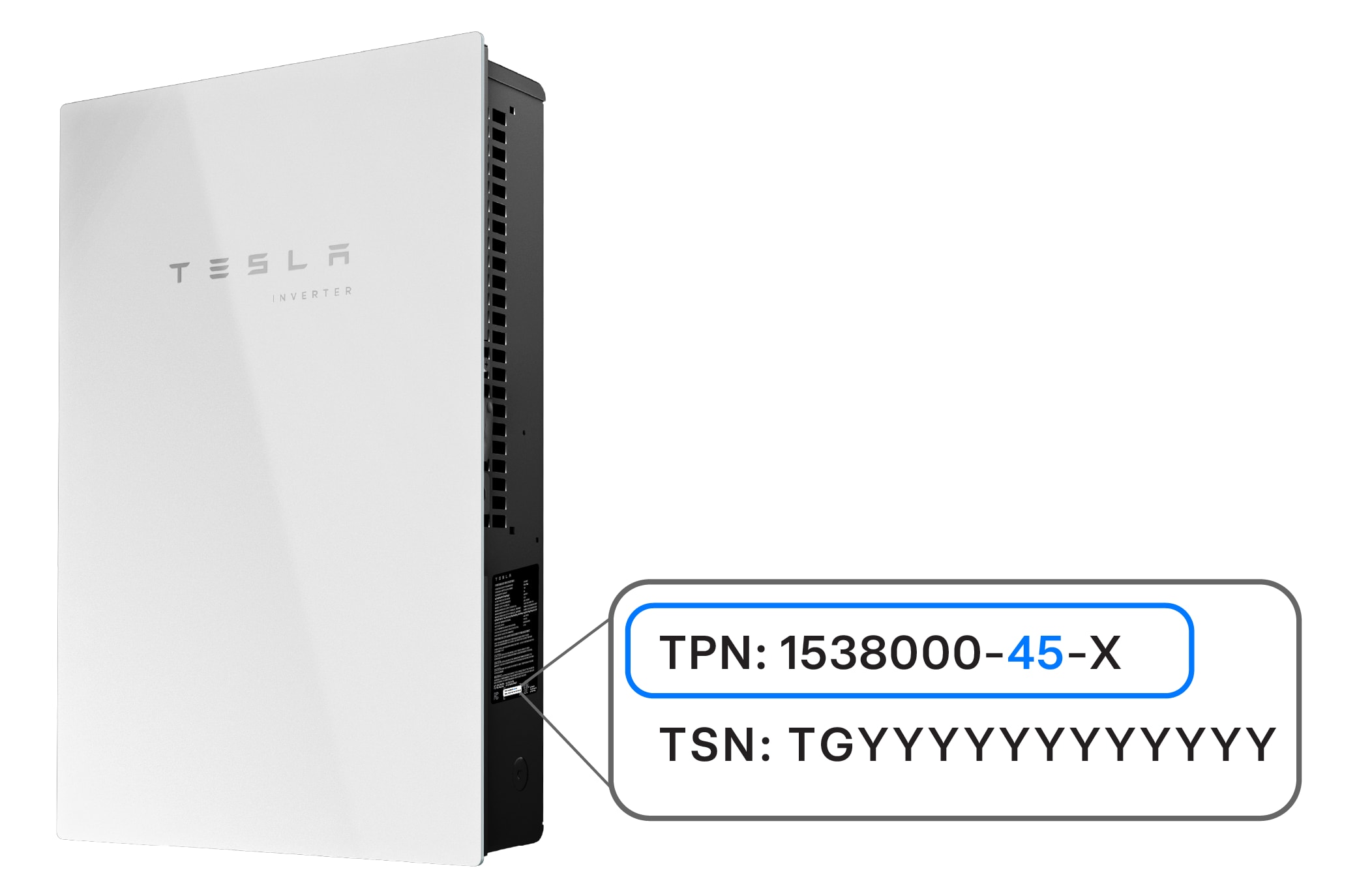
Tesla Solar Inverters with Site Controller have a part number on the side, which will be displayed as 1538000-45-x.
How to Sign In
To sign in to a Tesla Solar Inverter with Site Controller, follow these steps:
- In the Tesla app, locate your home energy site.
- Select ‘Settings.’
- Select ‘Configure Wi-Fi' at the bottom of the screen.
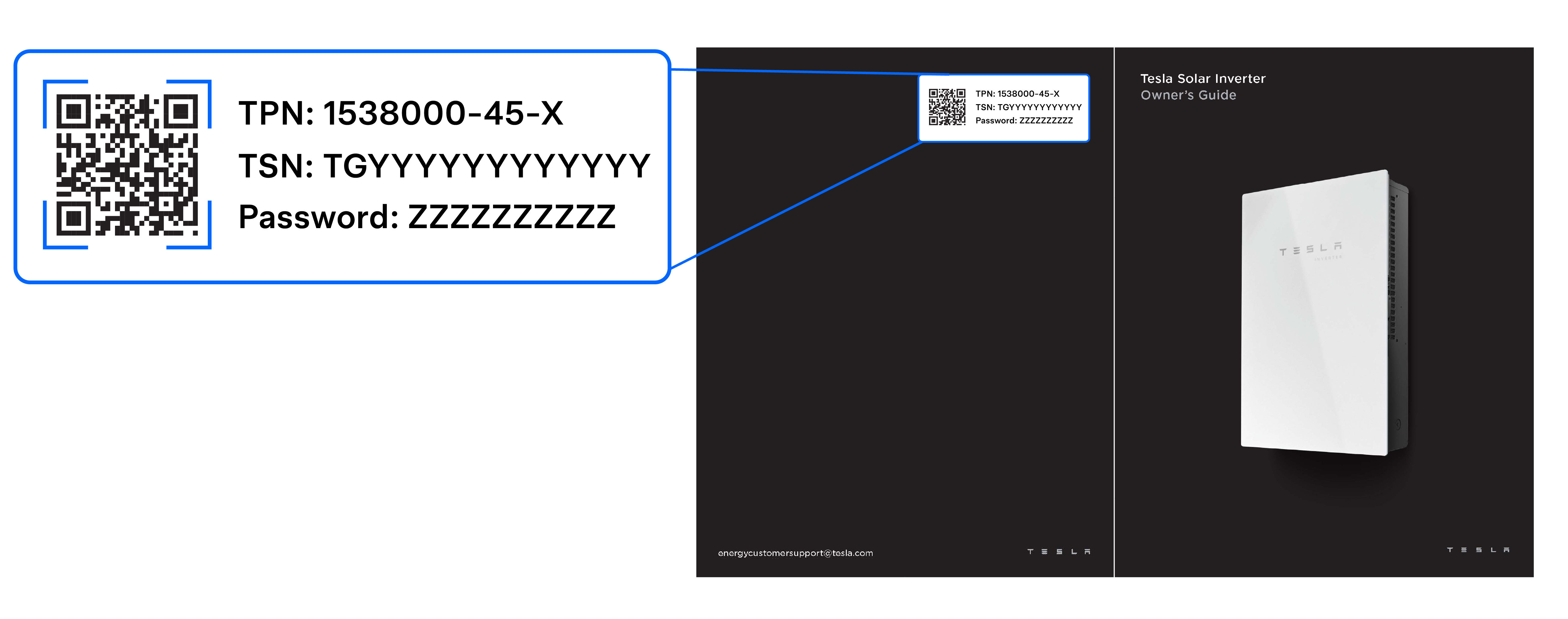
- Scan the QR code located on the back of the owner’s manual, or behind the glass door inside the enclosure.
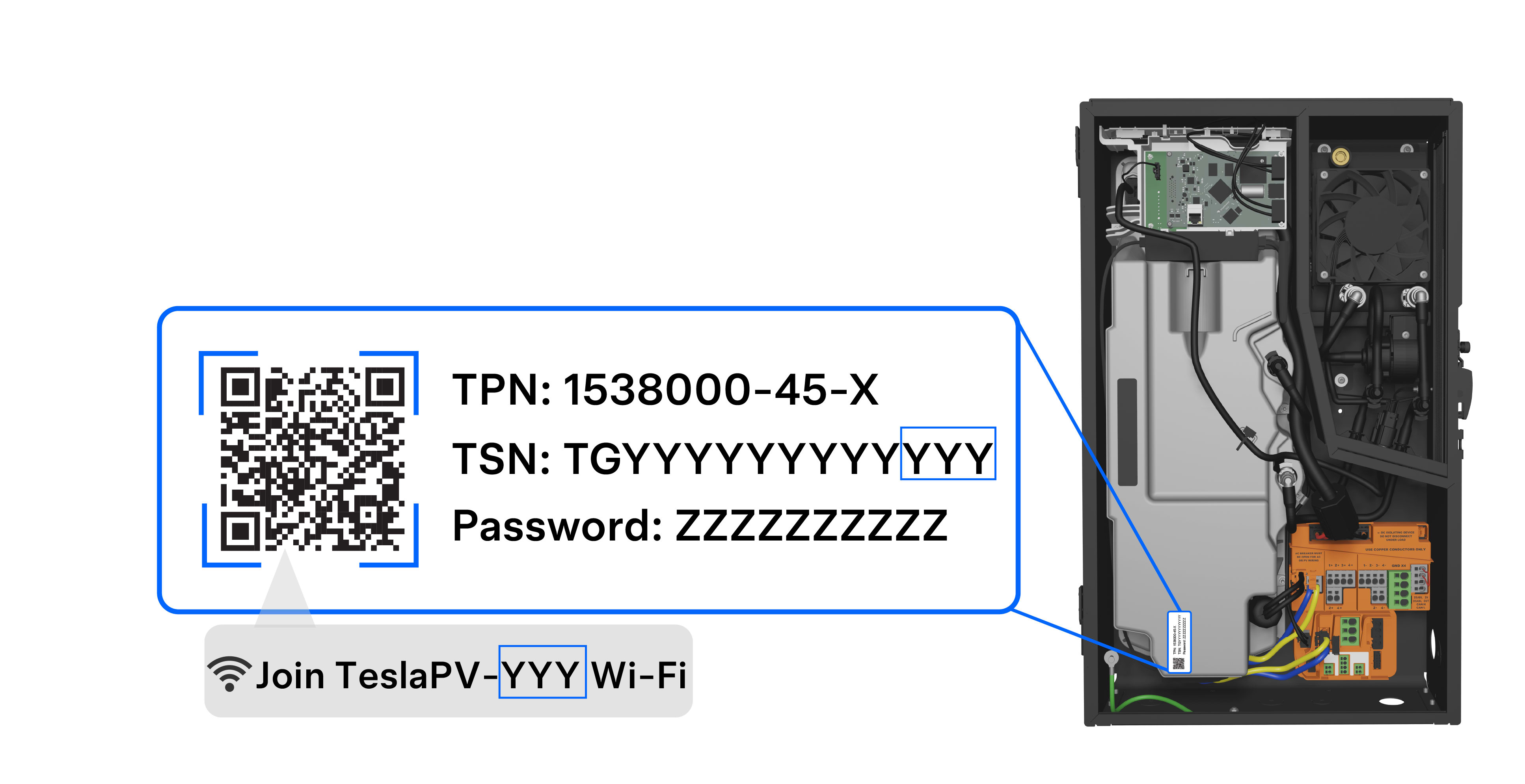
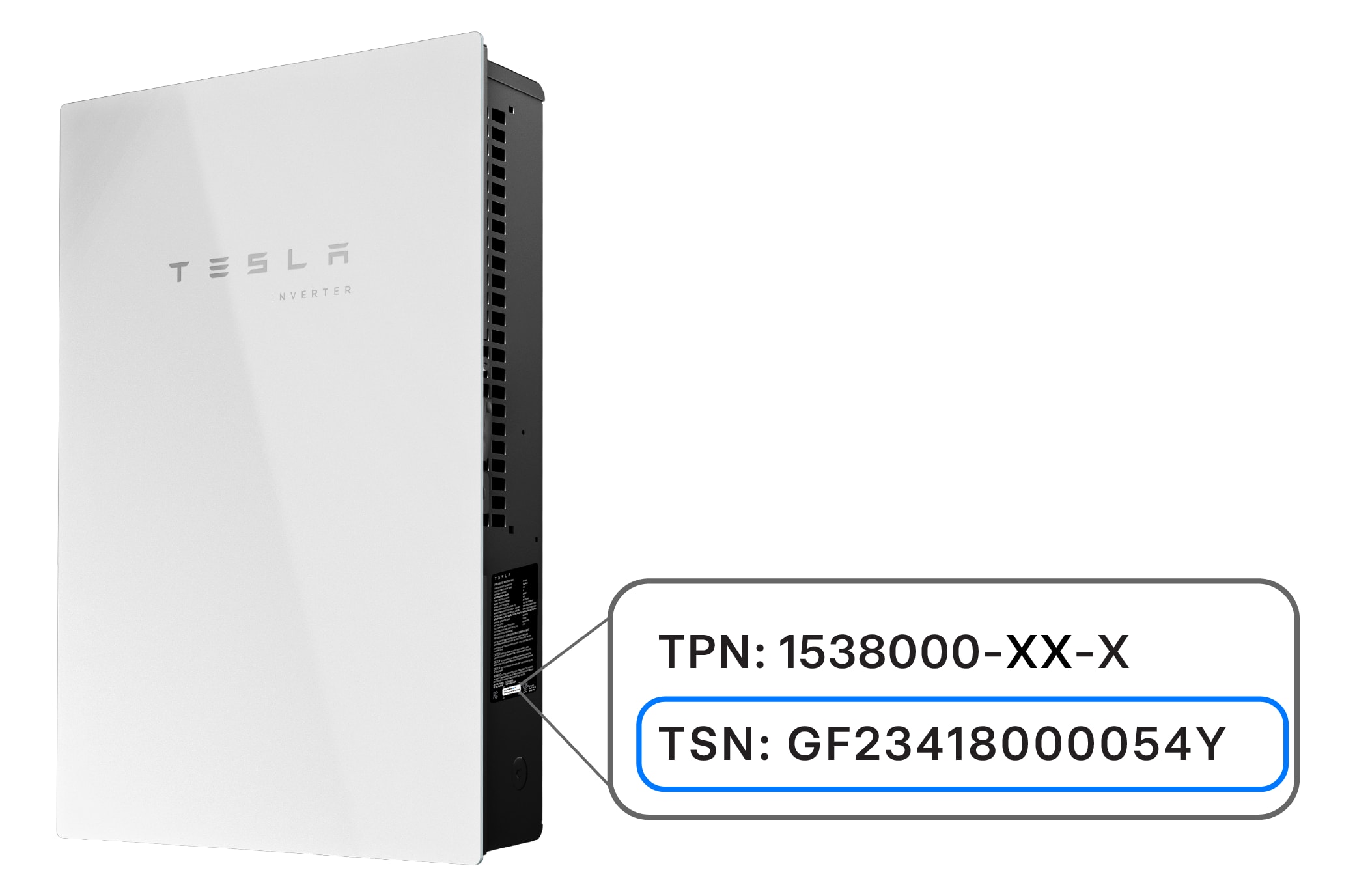
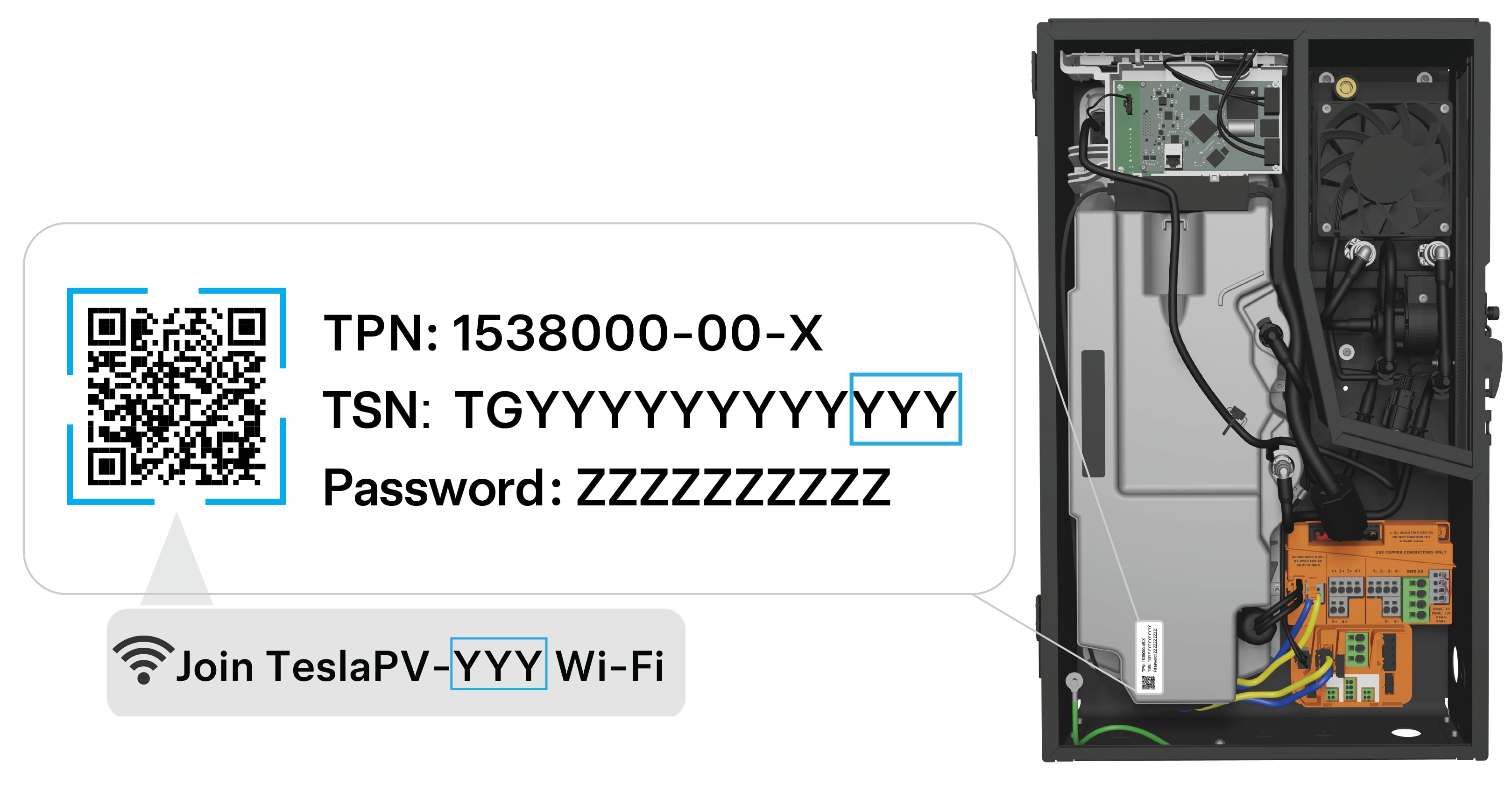
- Accept the request to join your Tesla Solar Inverter’s local ‘TeslaPV-xxx’ Wi-Fi network, where ‘xxx’ are the last three alphanumeric characters of your Tesla Solar Inverter’s serial number. Wait a few minutes for your phone to connect to the Wi-Fi. The serial number of your Solar Inverter is located on the product label on the side of the inverter.
- Select your home’s Wi-Fi network and then enter your network password.
- Tap ‘Connect’ to connect your Solar Inverter to the Wi-Fi. The connection may take up to five minutes to complete.
Connecting to Your Tesla Solar Inverter
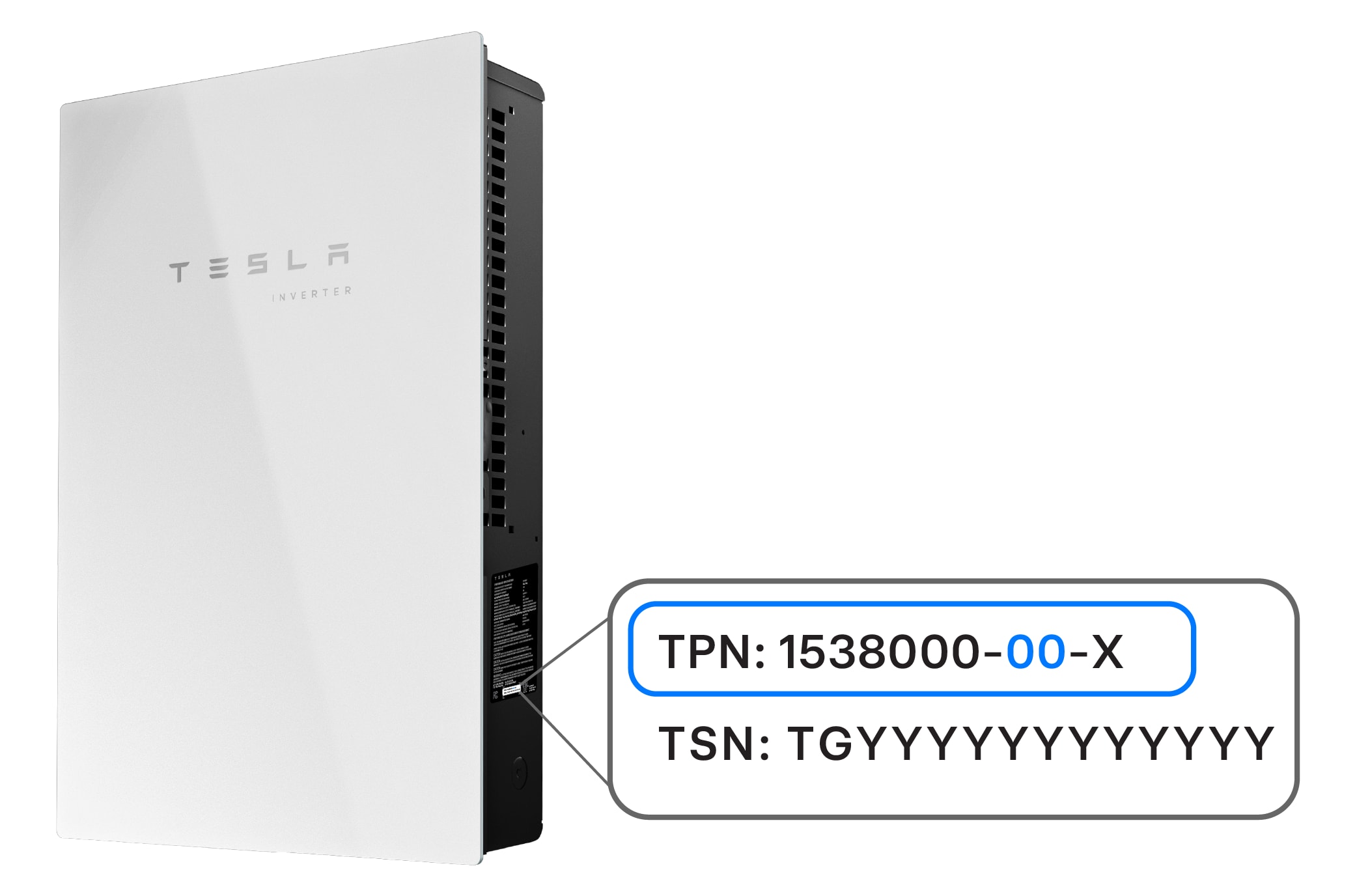
Tesla Solar Inverters have a part number on the side, which will be displayed as 1538000-00-x.
How to Sign In
The configuration interface of the Tesla Solar Inverter is available within 15 minutes of the system being powered on. To sign in to a Tesla Solar Inverter, follow these steps:
- If it has been more than 15 minutes since the system was last powered on, power cycle the inverter by turning the breaker(s) off and on again.
- To avoid any interference from your cellular connection, put your mobile device in airplane mode and then explicitly enable Wi-Fi.
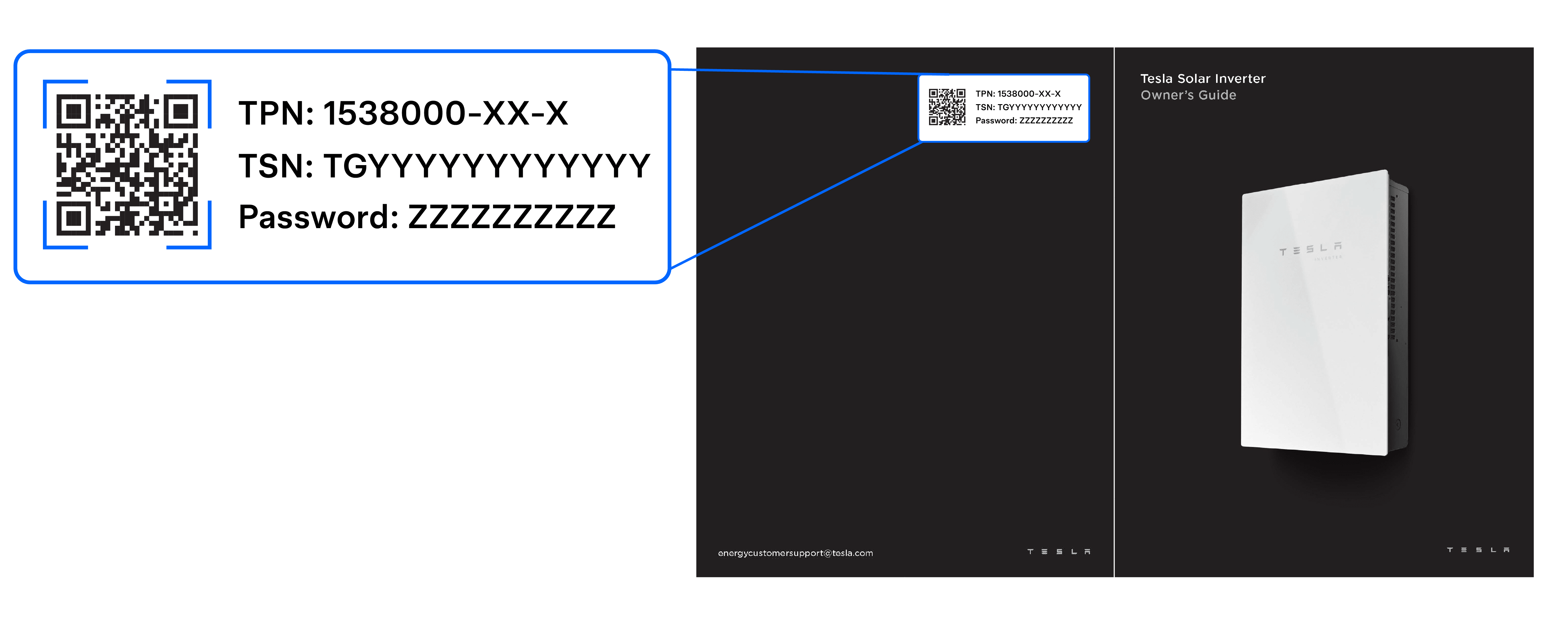
- Using a mobile device, scan the QR code on the back of your Tesla Solar Inverter Owner’s Guide, or behind the glass door inside the enclosure, to join the Tesla Solar Inverter's Wi-Fi network.
- Open a web browser (typically Safari or Chrome) and enter ‘192.168.92.1’ into the address field.
- Sign in to the configuration interface by entering the email you use for your Tesla Account.
- Once you sign in, select 'Wi-Fi.'
- Select your home’s Wi-Fi network and enter your password. The Wi-Fi network will briefly stop broadcasting while it scans for Wi-Fi networks.
- Refresh the page.
What to Expect After Connecting to Tesla Solar Inverter
When the Tesla Solar Inverter joins your home’s Wi-Fi network, your mobile device may temporarily lose connection to the inverter. If that happens, scan the QR code to reconnect to the Tesla Solar Inverter.
Tesla Solar Inverters do not support Wi-Fi connections to enterprise networks requiring a username, or to networks with captive portal credentials.
Note: Our Customer Support team will be unable to assist with network configuration. If your Tesla Solar Inverter is not connected to Wi-Fi for an extended period, or has not been registered with Tesla, we may not be able to provide important remote firmware upgrades. In these circumstances, we may not be able to honor your full Limited Warranty for your Tesla Solar Inverter. Review your Limited Warranty for additional information.
Monitor Power Flow
Once you have signed in and connected to your Tesla Solar Inverter, you will be able to monitor your power flow. This will be useful if you have lost connection to your Tesla app and want to know the status of your system.
Find Resources
Find additional resources including the Owner's Guide, technical specifications and warranty for the Tesla Solar Inverter.
Register Your Tesla Solar Inverter
If you are having trouble registering your Tesla Solar Inverter, make sure you are using the same email address as other Tesla vehicles or energy products you already own. Find steps on how to register your Tesla Solar Inverter.